
Google Business Profile for Window Cleaners: Complete Setup Guide
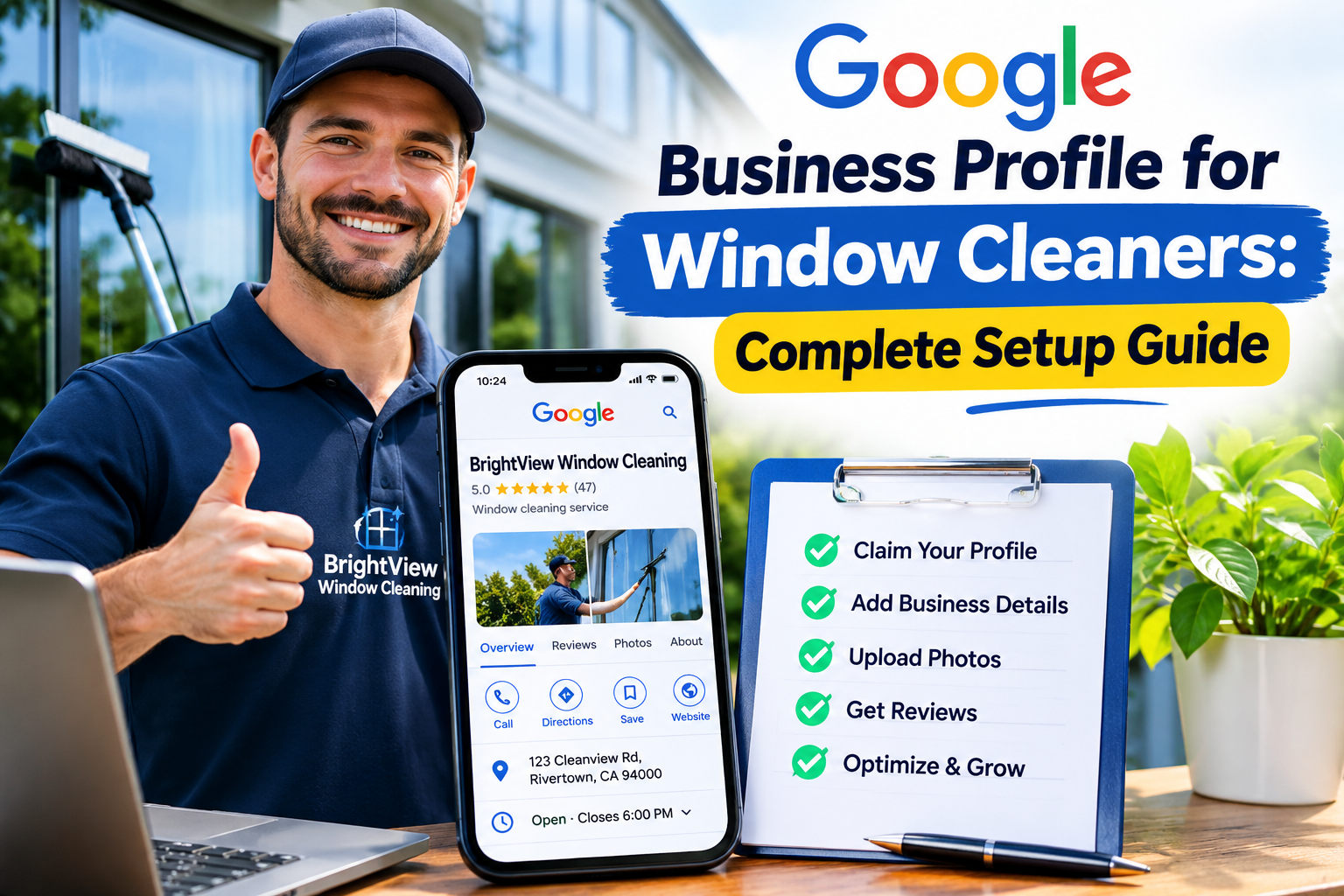
At a Glance: How to Get Your Window Cleaning Business on Google
A Google Business Profile is one of the most valuable free marketing tools available to UK window cleaners. It helps potential customers discover your services through Google Search and Google Maps, check your reviews, and contact you directly.
Whether you're starting your first window cleaning round or running an established business, here's what you need to know:
-
Creating a profile is free. You don't need to pay Google to list an eligible window cleaning business.
-
You don't need a shop or office. Mobile window cleaners can register as service-area businesses and keep their home addresses private.
-
Choosing the right category matters. Your primary business category should accurately describe window cleaning, with additional categories only for services you genuinely offer.
-
Verification is essential. Google requires businesses to complete its verification process, which may involve recording a video or using another method Google makes available.
-
Your service areas should reflect reality. List the towns, villages and locations where you actually provide window cleaning services.
-
Reviews and photographs build trust. Genuine customer feedback, before-and-after images and recent business photographs help potential customers decide whether to contact you.
-
An optimised profile can generate enquiries. Accurate contact details, relevant services and a useful website make it easier for customers to request quotations.
-
Visibility isn't guaranteed. Your Google Maps ranking depends on factors including relevance, distance and prominence, not simply how many keywords you add.
The bottom line: Set up an accurate, verified profile, explain your services clearly, demonstrate that you're a legitimate local business, and keep your information up to date. That's the foundation of attracting more window cleaning enquiries through Google.
What Is Google Business Profile and Why Do Window Cleaners Need It?
Imagine someone looking out of their living room window on a sunny Saturday morning.
The glass is covered in streaks. The conservatory roof has turned green around the edges. They haven't booked a window cleaner in months.
So, they pick up their phone and search:
"Window cleaner near me."
Within seconds, Google displays local businesses, often alongside a map, customer ratings, contact information and photographs.
That's where your window cleaning company needs to be.
A Google Business Profile is a free business listing that allows eligible companies to manage how they appear across Google Search and Google Maps.
Previously known as Google My Business, the platform gives local businesses a way to showcase their services, communicate essential information and attract customers actively searching for what they offer.
For window cleaners, that means turning everyday searches into potential bookings.
Instead of relying entirely on leaflets, recommendations or knocking on doors, your business can become discoverable when someone nearby needs their windows cleaned.
What Does a Google Business Profile Actually Show?
Depending on the business and available Google features, your listing can display:
-
Your registered business name.
-
Your primary and secondary business categories.
-
A description of your window cleaning services.
-
Your business telephone number.
-
Your website address.
-
Opening hours and special opening hours.
-
Towns and areas you serve.
-
Customer reviews and star ratings.
-
Photographs of your work, equipment and team.
-
Services such as domestic window cleaning, commercial window cleaning and conservatory cleaning.
-
Options for customers to call, visit your website or request further information.
Think of it as your digital shopfront.
You might not have a physical shop. You might work from home, operate a single van and spend most of your week cleaning windows across several neighbouring towns.
But online, customers still need somewhere to find you.
A properly managed Google Business listing gives them exactly that.
Why Google Maps Matters for Window Cleaning Businesses
Window cleaning is inherently local.
Someone living in Leeds generally doesn't want a window cleaner travelling from Bristol. They want a reliable professional who already works in their area, understands the neighbourhood and can fit their property into an existing cleaning round.
Google recognises this local intent.
When people search for services such as:
-
Window cleaners near me
-
Domestic window cleaning in York
-
Commercial window cleaners Manchester
-
Conservatory roof cleaning Leeds
-
Regular window cleaner in Sheffield
-
Shopfront window cleaning Birmingham
Google may display a group of local business listings, commonly called the Google Local Pack or Map Pack.
These results can appear prominently in the search results, giving local companies an opportunity to reach customers before they explore traditional website listings.
For a window cleaning business, that visibility can be extremely valuable.
A customer searching for a regular window cleaner may be ready to book immediately. Another might be comparing prices, checking customer reviews or looking for someone who can clean difficult-to-reach upstairs windows.
Your Google Business Profile helps answer those questions before the customer even visits your website.
Remember: Google Maps visibility isn't about appearing everywhere in the UK. It's about being relevant and trustworthy in the places where your business genuinely operates.
Google Business Profile vs Google My Business: What's the Difference?
If you've searched for a Google My Business setup guide, you might be wondering whether you're looking at the right platform.
You are.
Google My Business was renamed Google Business Profile.
The name changed, but the fundamental purpose remains the same: helping businesses manage their presence across Google's local search services.
You'll still encounter both terms online, particularly in older marketing articles and tutorials.
For practical purposes:
| Older terminology | Current terminology |
|---|---|
| Google My Business | Google Business Profile |
| Google My Business listing | Google Business Profile listing |
| Google My Business optimisation | Google Business Profile optimisation |
| Google My Business dashboard | Business Profile management through Google Search or Maps |
Today, business owners can generally manage their profiles directly through Google Search or Google Maps while signed into the appropriate Google account.
You don't need to purchase specialist software or subscribe to a third-party marketing service just to create a listing.
Is Google Business Profile Free for Window Cleaners?
Yes.
Creating and managing an eligible Google Business Profile is free.
You can add your business information, upload photographs, collect genuine customer reviews and manage your listing without paying Google a subscription.
That doesn't mean every marketing opportunity on Google is free.
For example, Google Ads involves paid advertising, while organic Google Maps visibility is earned through the relevance and prominence of your business in relation to a particular search.
For many independent window cleaners, starting with a free Business Profile makes sense before investing heavily in advertising.
However, your listing should be part of a wider marketing strategy rather than your only source of enquiries.
A professional website, genuine customer recommendations and consistent service quality all contribute to a stronger window cleaning business online presence.
How to Set Up Google Business Profile for Your Window Cleaning Business
Getting started is relatively straightforward.
The important part isn't how quickly you complete the form.
It's making sure the information you enter accurately reflects your business from the beginning.
Incorrect business details, misleading locations or unsuitable categories can create problems later, including verification difficulties or listing suspensions.
Follow these steps carefully.
Step 1: Create or Sign In to Your Google Account
First, visit the official Google Business Profile website.
Select the option to manage your business and sign in using a Google account.
If you don't already have one, create an account that you can reliably access.
Ideally, use an account dedicated to your business rather than one shared casually between employees or contractors.
For example, if your window cleaning company is called Clearview Window Cleaning, you might use a business-managed Google account associated with your company email address.
You don't necessarily need a Gmail address. Google accounts can also be created using eligible existing email addresses.
Before proceeding, make sure you:
-
Have long-term access to the account.
-
Use a secure password.
-
Enable two-step verification where available.
-
Keep recovery information up to date.
-
Avoid sharing your login credentials with marketing agencies or other third parties.
If you eventually hire someone to manage your Google Business Profile, you can grant appropriate profile access rather than handing over your password.
This helps protect your business listing and reduces the risk of losing control of it.
Step 2: Check Whether Your Window Cleaning Business Already Has a Listing
Before creating anything new, search Google Maps for your business name.
Try searching for:
-
Your exact trading name.
-
Your business name followed by your town.
-
Your business telephone number.
-
Your business name alongside "window cleaning".
Why?
Because Google sometimes already has information about a business, even if the owner hasn't personally created or claimed its profile.
Perhaps a customer mentioned your company online. Maybe your business details appeared in a directory. Or you previously created a listing and forgot which Google account you used.
If a profile already exists, you should investigate whether you can claim or request access to it.
Don't automatically create another listing.
Duplicate Google Business listings can confuse customers, fragment reviews and create management problems.
If you find an existing listing, follow Google's ownership or access process.
If another person manages it, Google provides a way to request access, subject to its procedures.
If no listing exists, continue creating your new Business Profile.
Step 3: Enter Your Actual Window Cleaning Business Name
Your business name is one of the first things potential customers notice.
It's also an area where some businesses make avoidable mistakes.
Google expects your profile name to reflect the name your business genuinely uses and is known by in the real world.
Suppose your company is called:
Clearview Window Cleaning
That's the name you should normally enter.
Avoid changing it to something like:
"Clearview Window Cleaning – Best Window Cleaners Leeds Bradford York Cheap Gutter Cleaning"
It might look tempting from an SEO perspective, but adding unnecessary keywords, locations or promotional claims to your business name can violate Google's guidelines.
This practice is commonly called business name keyword stuffing.
Instead, keep your business name accurate and use the appropriate profile sections to describe your services and operating areas.
A simple rule: If the wording isn't genuinely part of your established business name, don't add it just to influence Google Maps rankings.
Step 4: Choose Your Primary Business Category
Your Google Business Profile category helps Google understand what your company does.
For most dedicated window cleaning businesses, the appropriate primary category will be Window cleaning service, where that category is available in Google's selection.
This is a particularly important part of Google Business Profile optimisation for window cleaners.
Your primary category should represent your main business activity, not simply whichever service you think might attract the most searches.
For example:
| Business type | Appropriate category approach |
|---|---|
| Domestic window cleaning company | Window cleaning service |
| Commercial window cleaning specialist | Window cleaning service |
| Window cleaner offering occasional gutter cleaning | Window cleaning service as primary, with relevant additional categories if available |
| Exterior cleaning company primarily offering pressure washing | Choose the category that best describes its actual main activity |
Google's available category names can vary, so select from the options presented rather than assuming every category exists.
Should You Add Secondary Business Categories?
Potentially, yes.
Secondary categories can help describe additional business activities, but only when they accurately represent services you provide.
Depending on Google's available categories, relevant examples might include:
-
Gutter cleaning service
-
Pressure washing service
-
Cleaning service
Don't add unrelated categories merely to increase the number of searches your profile might appear for.
If you only clean windows, there's no benefit in pretending you're also a roofing contractor, carpet cleaner or general building maintenance company.
Accuracy is more valuable than trying to cover every possible search.
You can describe more specific offerings, such as conservatory roof cleaning, UPVC cleaning or fascia and soffit cleaning, within your services section where appropriate.
Setting Up Your Window Cleaning Service Areas Correctly
One of the biggest advantages of Google Business Profile for window cleaners is that you don't necessarily need commercial premises.
Many UK window cleaning businesses operate from home.
They store equipment in a garage, park their van on the driveway and travel directly to customers.
Google accommodates this type of operation through its service-area business settings.
However, understanding the difference between a business address and a service area is essential.
Step 5: Decide Whether to Show or Hide Your Business Address
During setup, Google may ask whether customers can visit your business location.
For a typical mobile window cleaner who travels to customers and doesn't serve customers at their business address, the appropriate approach is usually to hide that address from the public listing.
You may still need to provide an address privately for Google's verification or business management requirements.
That doesn't mean customers need to see your home address on Google Maps.
Consider these two examples.
Example A: Home-Based Window Cleaner
You operate from your house in Harrogate, store your equipment at home and travel to residential and commercial properties.
Customers don't visit your home to purchase services.
In this situation, you would generally configure your profile as a service-area business and hide your residential address.
Example B: Window Cleaning Company With Customer-Facing Premises
You operate from a staffed commercial location where customers can genuinely visit during your stated opening hours.
Depending on the nature of your operation and Google's eligibility requirements, you may be able to display that address.
The key distinction is whether your location is genuinely customer-facing.
Important: Don't use a virtual office, rented mailbox or an address where your business doesn't actually operate simply to establish a Google Maps presence in a desirable town. Google has eligibility requirements for business locations, and misleading addresses can put your profile at risk.
Step 6: Add the Towns and Areas You Actually Serve
Next, configure your Google Business Profile service area.
This tells potential customers which locations your window cleaning company covers.
For example, a window cleaner based near Middlesbrough might genuinely serve:
-
Middlesbrough
-
Stockton-on-Tees
-
Yarm
-
Stokesley
-
Great Ayton
-
Ingleby Barwick
If those places fall within the company's normal operating area, including them can help communicate its local service coverage.
But here's something many window cleaners misunderstand.
Adding a town to your service area doesn't automatically make your business rank highly in that town.
Google's local ranking systems consider factors such as relevance, distance and prominence.
A window cleaner based in North Yorkshire cannot expect to dominate searches in London simply by adding London to their service areas.
Google's service-area settings are intended to describe where you actually work, not create artificial locations for SEO purposes.
How Many Service Areas Should You Add?
Google currently allows businesses to specify up to 20 service areas, subject to its guidelines.
These can include supported towns, cities, postcodes or other geographical areas, depending on what Google's interface accepts.
Choose meaningful locations that reflect your real cleaning rounds.
For instance, if you regularly work across several neighbouring villages, you could include the main towns and recognised areas covering those customers.
You don't need to list every street or housing estate.
Google also advises that a service area's overall boundaries should generally remain within approximately two hours' driving time of the business base, although certain business models may justify larger areas.
For most independent window cleaners, a concentrated local service area is more practical anyway.
It reduces travelling time, makes cleaning rounds more efficient and allows you to build a stronger reputation in the communities you serve.
Can You Create Multiple Google Business Profiles for Different Towns?
Not simply because you work in multiple locations.
A window cleaner serving ten towns from one legitimate business base generally shouldn't create ten separate profiles using borrowed addresses or imaginary offices.
Google Business Profile eligibility is based on genuine business operations and locations, not the number of towns you want to target.
Separate profiles may be appropriate for genuinely distinct, eligible locations, but each must satisfy Google's requirements.
If your objective is to reach customers across several UK locations, your website can support that strategy through useful, location-specific content.
For example, customers browsing window cleaning locations across the UK should be able to find relevant local information without encountering misleading claims about where a business is physically based.
For a nationwide lead-generation brand, this distinction is particularly important: a website can serve a broad geographical audience, but Google Business Profiles must represent eligible real-world businesses rather than artificial listings created for each target town.
How to Verify Your Window Cleaning Business on Google
You've entered your business name, selected the right category and told Google where you work.
Now comes the part that sometimes catches window cleaners off guard: Google Business Profile verification.
Google needs to establish that your business is legitimate and that you're authorised to manage its listing.
For an established window cleaning company with branded vehicles, business equipment and a recognisable trading name, this might be relatively straightforward.
For a sole trader operating from home, however, verification can require a little more preparation.
The good news? You don't need an expensive office, a shopfront or a large team to run a legitimate window cleaning business.
You simply need to follow Google's verification requirements and demonstrate that your business genuinely operates as described.
Step 7: Complete Google Business Profile Verification
After entering your business information, Google will provide the verification methods available for your particular profile.
These methods can vary depending on your business type, location and Google's assessment of the listing.
Possible methods include:
-
Video recording: Record a short video demonstrating your business location, equipment and evidence that you manage the business.
-
Phone or text verification: Receive a verification code through an eligible business telephone number.
-
Email verification: Receive instructions or a code at an eligible email address.
-
Postcard verification: Receive a code by post at the business address, where this option is offered.
-
Live video call: Complete verification through a video interaction with a Google representative, if available.
You cannot necessarily choose whichever method you prefer.
Google determines which verification options are offered, and some businesses may need to complete more than one verification step.
For mobile window cleaners, video verification is particularly worth understanding.
How to Complete Google Business Profile Video Verification
Imagine you're a self-employed window cleaner working from home.
You have a van, a water-fed pole system, a pure water tank, several traditional squeegees and an established round of residential customers.
But you don't have a shop sign above your front door.
How do you prove your business exists?
Google's video verification process is designed to help establish several important details:
-
Your business operates in the location you've registered.
-
Your business genuinely provides the services you've listed.
-
You have access to the equipment or premises associated with the business.
-
You're authorised to represent and manage the company.
Google will show you the specific evidence it wants to see. Follow those instructions rather than relying on a generic checklist.
What Should a Window Cleaner Show in Their Verification Video?
Depending on Google's requirements, useful evidence might include:
1. Your business location
Show relevant surroundings that help establish where your business operates.
This might include a nearby street sign or recognisable location feature.
For home-based businesses, follow Google's instructions carefully without unnecessarily exposing private information.
2. Your window cleaning equipment
Demonstrate that you have the tools needed to provide your advertised services.
Examples include:
-
Water-fed poles and brush heads.
-
Pure water filtration equipment.
-
Traditional squeegees and applicators.
-
Window cleaning buckets and scrapers.
-
Hose reels and water tanks.
-
Safety equipment used in your work.
A van containing genuine window cleaning equipment can help demonstrate that you're operating a real service business.
3. Your branded business vehicle
If you have a van displaying your business name, this can be useful evidence.
A branded vehicle isn't necessarily mandatory, but it can help connect your trading name to your actual operations.
4. Evidence that you manage the business
Google may ask you to demonstrate access to business equipment, a vehicle, workspace or other relevant assets.
Business documents may also be relevant where Google's verification instructions request them.
Don't upload sensitive documents or reveal private information unless required through Google's official verification process.
Practical tip: Prepare your equipment, make sure your phone has sufficient battery and read Google's recording instructions before starting. Video verification generally requires an uninterrupted recording through the verification interface, rather than an edited promotional video.
How Long Does Google Business Profile Verification Take?
Verification times vary.
Some methods may be completed quickly, while video reviews, postal verification or additional checks can take longer.
Google may also request further evidence if it cannot confirm the business from the information supplied.
Avoid making unnecessary changes to your business name, address or other core information while verification is underway.
Certain changes can trigger additional checks or require verification again.
You can check the current verification status through your Business Profile management interface.
What If Google Rejects Your Verification Video?
A failed verification attempt doesn't automatically mean your window cleaning business is ineligible.
It may simply mean Google couldn't confirm enough information from the evidence provided.
Common problems can include:
-
The recording doesn't clearly establish the business location.
-
The equipment shown doesn't sufficiently demonstrate the advertised services.
-
The video doesn't establish that you manage the business.
-
The business information conflicts with other evidence.
-
The recording doesn't meet Google's technical requirements.
If your verification fails, review the instructions and any feedback Google provides.
Correct the underlying issue before attempting verification again.
For example, if your first recording showed only a bucket and squeegee in your kitchen, a more complete recording demonstrating your actual working equipment and business operations may be more useful.
Don't fabricate evidence, temporarily display misleading signage or use somebody else's premises to make your business appear eligible.
Google Business Profile verification is about proving the business you actually operate.
Optimising Your Window Cleaning Business Description
Once your profile is verified and your business information is in place, it's time to make your listing genuinely useful to potential customers.
One of the simplest places to start is your business description.
This is where you explain what your company does, who you help and what makes your service worth considering.
Unfortunately, many window cleaning businesses waste this opportunity.
Their descriptions say something like:
"We are professional window cleaners offering great service at competitive prices. Call today."
There's nothing necessarily wrong with that statement.
But it doesn't tell customers very much.
What areas do you cover? Do you clean residential or commercial properties? Do you offer regular cleaning rounds? Can you handle conservatories and hard-to-reach windows?
These are the details that help someone decide whether you're the right window cleaner for their property.
Step 8: Write a Clear, Relevant Business Description
Google Business Profile descriptions currently have a maximum length of 750 characters.
You don't need to use every character, but you should make the available space count.
A useful description generally covers four things:
-
Who you are: Your genuine business name and the type of company you operate.
-
What you do: Your main window cleaning services.
-
Where you work: Your actual local service area.
-
Why customers choose you: Relevant, truthful information about your approach, experience or service.
Keep the language natural.
Google Business Profile optimisation isn't about repeating "window cleaners near me" twenty times.
It's about helping customers understand your business while providing Google with accurate information.
Example Google Business Profile Description for a UK Window Cleaner
Here's an example for a fictional company:
Clearview Window Cleaning provides reliable domestic and commercial window cleaning across York, Haxby, Huntington and surrounding areas. We offer regular four-weekly and eight-weekly window cleaning rounds, one-off cleans, conservatory cleaning and exterior glass cleaning. Using professional water-fed pole and traditional window cleaning methods, we help homeowners and local businesses keep their windows clean throughout the year. Contact our friendly team to discuss your property and arrange a quotation.
Notice what's included.
The description identifies the company, explains its services, names the areas it covers and mentions relevant cleaning methods.
It also naturally includes terms such as domestic window cleaning, commercial window cleaning and water-fed pole cleaning.
Nothing feels forced.
That's exactly what you want.
What Should You Avoid in Your Business Description?
Google has content guidelines for business descriptions.
To keep your profile accurate and useful, avoid:
-
Repeating the same keywords unnaturally.
-
Making exaggerated or unsubstantiated claims.
-
Adding misleading information about your location.
-
Listing services you don't actually provide.
-
Filling the description with promotional offers.
-
Including website links or HTML.
-
Adding irrelevant information solely for search engine rankings.
Your description should read like an introduction to a genuine local business, not a collection of SEO keywords.
One important distinction: Your business description is useful for explaining your services and encouraging enquiries, but Google doesn't identify description keyword density as a direct local ranking factor.
Use the space to help customers make informed decisions.
Adding Your Window Cleaning Services and Prices
Your primary business category tells Google the broad type of company you operate.
Your services section allows you to provide more detail.
This is particularly useful for window cleaners because the industry covers far more than simply cleaning the outside of someone's windows.
One customer might want their upstairs bedroom windows cleaned every four weeks.
Another might need a one-off conservatory roof clean.
A commercial property manager could be looking for regular shopfront window cleaning.
The more clearly you describe your genuine services, the easier it becomes for potential customers to understand what you offer.
Step 9: Add Your Main Window Cleaning Services
When editing your Google Business Profile, look for the option to manage your services.
The exact interface may vary depending on your account, device and business category.
Where available, you can select suggested services or add relevant custom services.
For a typical UK window cleaning business, these might include:
| Service | Suggested description |
|---|---|
| Domestic window cleaning | Regular and one-off window cleaning for houses, flats and residential properties. |
| Commercial window cleaning | Professional window cleaning for offices, shops and other commercial premises. |
| Exterior window cleaning | Cleaning external glass, frames and accessible window surfaces. |
| Interior window cleaning | Internal glass cleaning for homes and business premises. |
| Conservatory cleaning | Cleaning conservatory windows, frames and accessible roof panels. |
| Water-fed pole window cleaning | Exterior window cleaning using purified water and professional reach-and-wash equipment. |
| Traditional window cleaning | Window cleaning using professional squeegees and traditional hand tools. |
| Shopfront window cleaning | Regular glass cleaning for retail premises and commercial shopfronts. |
| Gutter clearing | Removal of leaves and debris from guttering systems, where offered. |
| Fascia and soffit cleaning | Exterior cleaning of fascia boards, soffits and associated UPVC surfaces. |
Only include services your business actually provides.
If you don't offer interior window cleaning, don't add it simply because people search for it.
Likewise, if you specialise exclusively in residential properties, there's no need to advertise commercial cleaning contracts you cannot fulfil.
Should You Include Window Cleaning Prices?
Where Google offers service pricing fields, you may be able to add prices or price information.
Whether you should depends on how your business operates.
For example, a window cleaner might offer a straightforward starting price for a standard residential property.
But many jobs require an individual quotation based on factors such as:
-
Number and size of windows.
-
Property height and accessibility.
-
Frequency of cleaning.
-
Conservatories, skylights and additional glass.
-
Whether the work is residential or commercial.
-
Travel requirements.
-
The condition of the windows.
-
Additional services requested.
If your pricing varies significantly, don't publish a fixed figure that could mislead customers.
Where suitable, you could use an accurate starting price or explain that quotations depend on the property.
Make sure any displayed prices are genuine, current and consistent with your actual charging structure.
Make It Easy for Customers to Request a Quote
A customer discovering your business through Google might not be ready to book immediately.
They may want to know whether you cover their postcode, how often you clean windows or how much their particular property will cost.
That's why a clear quotation process matters.
Your Google Business Profile should connect customers to a website or contact method where they can take the next step.
For example, a straightforward window cleaning quotation request can help turn an interested visitor into a genuine customer enquiry.
The aim is to remove unnecessary friction.
If someone finds your business at 9 pm while sitting on their sofa, they should still be able to understand your services and submit an enquiry without waiting until the following morning.
A strong Google Business Profile gets you discovered.
A clear quotation process helps convert that attention into potential work.
Adding Photos That Showcase Your Window Cleaning Business
Imagine comparing two local window cleaners on Google Maps.
The first business has a name, a telephone number and no photographs.
The second has pictures of its branded van, professional equipment, recent window cleaning work and a friendly team.
Which one would you feel more confident contacting?
Photographs help customers understand who they're dealing with.
For a service that involves visiting people's homes and commercial premises, that reassurance matters.
You don't need an expensive camera or a professional photographer.
A modern smartphone and a little attention to presentation can produce perfectly suitable business photographs.
Step 10: Upload Your Business Logo and Cover Photo
Start with the basics.
Business logo
Upload your genuine company logo, ideally in a clear, high-quality format.
If your logo appears on your website, uniforms or vehicle, using consistent branding helps customers recognise your business.
Cover photo
Choose a photograph that represents your window cleaning company well.
Suitable examples might include:
-
Your branded van outside a genuine work location.
-
A professional window cleaner using a water-fed pole.
-
Your team preparing for a day's work.
-
A clean commercial shopfront you've worked on.
Google may choose which image appears most prominently in different search contexts, so uploading a cover photo doesn't guarantee it will always be displayed first.
The Best Photos for a Window Cleaning Google Business Profile
A varied collection of authentic photographs can make your listing more informative.
Consider including the following.
1. Before-and-After Window Cleaning Photos
Before-and-after images are an effective way to demonstrate the results of your work.
For example, you could show a conservatory roof before cleaning and then photograph the same area after the job is complete.
Keep the camera angle and lighting as consistent as possible.
Don't digitally exaggerate the difference.
Customers want to see genuine results, not artificially enhanced photographs.
2. Your Window Cleaning Equipment
Show the tools you use in your everyday work.
This might include your pure water filtration system, water-fed poles, traditional squeegees or specialist equipment.
Equipment photographs can be especially useful when customers are unfamiliar with modern cleaning methods.
For instance, someone might wonder how you clean upstairs windows without using ladders.
A photograph of your water-fed pole system helps answer that question.
3. Your Branded Van
If your business uses a branded vehicle, include a clear photograph.
A recognisable van helps establish that your business has a real local presence.
It also reinforces the connection between your online listing and the vehicle customers may already have seen working in their neighbourhood.
4. Your Team at Work
People like knowing who will arrive at their property.
Photographs of you or your employees working professionally can make the business feel more approachable.
Where appropriate, show clean uniforms, suitable equipment and safe working practices.
Always obtain permission before publishing identifiable photographs of employees or other individuals.
5. Different Types of Window Cleaning Jobs
If you offer several services, demonstrate that variety.
For example:
-
Residential window cleaning.
-
Commercial window cleaning.
-
Conservatory roof cleaning.
-
Shopfront glass cleaning.
-
Traditional window cleaning.
-
Water-fed pole cleaning.
-
UPVC cleaning.
-
Gutter clearing.
You don't need dozens of photographs of the same window.
A smaller collection of useful, varied images is better than a gallery filled with near-identical pictures.
How Often Should You Add New Google Business Profile Photos?
There isn't a universal upload schedule that guarantees better Google Maps rankings.
However, keeping your photographs reasonably current is good practice.
For an active window cleaning company, adding a few genuine images from recent jobs each month can be a manageable routine.
For example:
| Time | Photo idea |
|---|---|
| January | Commercial window cleaning or winter maintenance work |
| March | Conservatory cleaning before spring |
| May | Residential exterior window cleaning |
| July | Your team working on a sunny day |
| September | Shopfront window cleaning |
| November | Exterior cleaning or gutter-related work |
The important thing is authenticity.
Don't upload photographs simply to meet an arbitrary quota.
Use images that help potential customers understand your business and feel confident in the quality of your work.
Privacy matters, too. Get appropriate permission before photographing customers' properties, particularly when house numbers, people, vehicles or other identifying details are visible.
How to Get More Google Reviews for Your Window Cleaning Business
For many customers, reviews are one of the first things they check before contacting a local service provider.
And window cleaning is a business built on trust.
You're visiting people's homes, working around their property and potentially returning every four or eight weeks.
Customers want reassurance that you'll arrive when expected, treat their property respectfully and do a good job.
That's where genuine Google reviews can make a difference.
A well-maintained profile with relevant customer feedback provides social proof that your business is established and trusted.
Google also identifies review count and positive ratings as factors that can contribute to local prominence.
But collecting reviews isn't about chasing a perfect five-star score.
It's about building an accurate public record of real customer experiences.
Step 11: Ask Satisfied Window Cleaning Customers for Reviews
The easiest time to request a review is often shortly after completing a job successfully.
The customer has seen the results.
Their windows are clean.
The experience is fresh in their mind.
Instead of hoping they'll remember to leave feedback, make the process straightforward.
Google allows eligible businesses to share a review link or QR code that takes customers to the review process.
You can find the relevant sharing option through your Business Profile management interface.
Then send the link to customers through an appropriate communication channel.
Example Review Request Message for Window Cleaners
Here's a natural message you could send after completing a cleaning appointment:
Hi, thanks for choosing us for your window cleaning today. We hope you're pleased with the results. If you have a moment, we'd really appreciate an honest Google review about your experience. Your feedback helps other local customers find our business. Here's the link: [Google review link]. Thanks again!
Notice the wording.
It asks for an honest review, not specifically a positive one.
That's important.
Google prohibits fake engagement and incentivised reviews, including offering discounts, payments or free services in exchange for reviews.
You should also avoid selectively asking only customers who promise to leave five-star feedback.
Build a consistent, fair process for inviting genuine customers to share their experiences.
How Many Google Reviews Does a Window Cleaner Need?
There's no magic number.
A window cleaning business with 15 genuine, detailed reviews might appear more reassuring than a business with 50 vague reviews that offer little useful information.
Your local competition also matters.
If nearby window cleaners have well-established profiles and substantial review histories, building your own reputation may take time.
Focus on:
-
Asking genuine customers for feedback consistently.
-
Making the review process easy.
-
Providing a reliable service worth recommending.
-
Responding professionally to feedback.
-
Maintaining a steady flow of authentic reviews over time.
Don't buy reviews.
Don't ask friends who haven't used your services to pretend they're customers.
And don't pressure people to leave feedback while you're standing on their doorstep.
A sustainable review strategy starts with doing good work.
How to Respond to Positive Google Reviews
When a customer leaves a positive review, acknowledge it.
You don't need a lengthy response.
A short, personalised thank-you can show that you value your customers.
For example:
Thanks for the lovely review, Sarah. We're really pleased you're happy with your windows. We appreciate your continued support and look forward to seeing you on your next regular clean.
Where appropriate, a response can naturally reference the service provided.
But don't turn every reply into a keyword-stuffed advertisement.
A response such as "Best window cleaners York cheap window cleaning near me" looks unprofessional and doesn't help the customer.
Write for people first.
How to Handle Negative Google Reviews
Even reliable businesses occasionally receive complaints.
Perhaps an appointment was delayed by bad weather.
Maybe a customer expected the conservatory roof to be included in a standard window clean.
Or there was a genuine problem with the work.
Your response matters.
Avoid arguing publicly or sharing private customer information.
Instead:
-
Acknowledge the customer's concerns.
-
Remain polite and professional.
-
Clarify relevant facts without becoming defensive.
-
Offer a reasonable next step where appropriate.
-
Invite the customer to discuss personal details privately.
For example:
Thank you for your feedback. We're sorry to hear that the service didn't meet your expectations. We take customer satisfaction seriously and would appreciate the opportunity to understand what happened. Please contact us directly so we can look into this and discuss a suitable resolution.
A thoughtful response won't necessarily change the review.
But it demonstrates professionalism to future customers reading your profile.
And sometimes, that matters just as much as the rating itself.
Can Google Reviews Help Your Window Cleaning Business Rank Higher?
Yes, reviews can contribute to local search visibility.
Google's published guidance identifies review count and positive ratings as signals that can influence local prominence.
However, reviews are only one part of the wider picture.
Your window cleaning Google Maps ranking can also depend on how relevant your business is to the search, how far away it is from the searcher and other information Google uses to assess local businesses.
More reviews won't automatically overcome an unsuitable category, inaccurate business information or a large geographical distance.
The best approach is to combine genuine customer feedback with an accurate, useful and consistently maintained profile.
Using Google Business Profile Posts to Keep Your Listing Fresh
Your profile shouldn't become something you create once and completely forget about.
Window cleaning businesses change throughout the year.
You might add a new cleaning round, expand your service area, introduce conservatory cleaning or adjust your working hours over Christmas.
Google Business Profile posts give eligible businesses a way to share certain updates directly through their listing.
Think of them as short announcements rather than full blog articles.
Step 12: Publish Useful Business Updates
Depending on the features available to your profile, you may be able to publish updates, offers or events.
For a window cleaning business, useful post topics could include:
New cleaning round availability
"Now taking on regular residential window cleaning customers in Yarm and Ingleby Barwick. Contact us to enquire about availability."
Seasonal services
"Getting your conservatory ready for spring? Ask about our exterior conservatory cleaning service."
Commercial cleaning
"We provide regular shopfront window cleaning for local businesses. Contact our team to discuss your requirements."
Business announcements
"We'll be operating revised opening hours over the Christmas period. Please check our updated schedule before contacting us."
These updates give customers timely information about your services.
They can also reinforce the fact that your business is active.
How Often Should Window Cleaners Publish Google Posts?
There isn't a confirmed posting frequency that guarantees improved local rankings.
A practical starting point might be one or two useful updates each month, depending on how often you have something worth sharing.
Quality matters more than frequency.
Don't publish the same generic message every few days simply because you think Google expects constant activity.
Instead, share genuine news that helps customers.
For example, if you've opened spaces on a regular window cleaning round, that's useful information.
If you've recently started offering conservatory roof cleaning, that's worth mentioning.
If nothing has changed, there's no need to manufacture an announcement.
Can Google Posts Help You Get More Window Cleaning Enquiries?
Potentially.
Posts can give customers another reason to contact your business, particularly when they highlight relevant services or current availability.
Where Google provides a suitable action button, you may be able to direct visitors towards your website or another supported destination.
Make sure the destination matches the post.
If you're promoting conservatory cleaning, sending visitors to a relevant service page is generally more helpful than directing them to an unrelated page.
And remember: Google Posts are not a substitute for a well-optimised website, strong customer reviews or accurate business information.
They're one additional way to communicate with potential customers.
Answering Common Customer Questions Before They Contact You
A potential customer might be interested in your services but still have a few questions.
Do you clean upstairs windows?
Do you use purified water?
Can you clean conservatory roofs?
Do customers need to be at home?
Do you offer four-weekly window cleaning?
Answering these questions clearly can remove uncertainty and encourage people to get in touch.
Google's available customer interaction features can change, so don't rely on an older Google Business Profile Q&A tutorial without checking what your account currently supports.
Regardless of which profile features are available, your business website should provide answers to the questions customers ask most often.
Frequently Asked Questions Worth Addressing
Do you offer regular window cleaning rounds?
Explain whether you provide four-weekly, six-weekly, eight-weekly or other cleaning schedules.
Do I need to be home when my windows are cleaned?
Explain your access requirements, payment arrangements and whether customers need to be present.
Do you clean windows using a water-fed pole?
Describe your cleaning methods in simple terms, including any traditional window cleaning services you offer.
Can you clean conservatory roofs?
Clarify whether conservatory roof cleaning is included in your services and whether it requires a separate quotation.
Do you provide commercial window cleaning?
Explain the types of commercial premises you serve, such as offices, shops or other suitable properties.
How much does window cleaning cost?
Explain the factors affecting your prices and how customers can request an accurate quotation.
These questions also make useful supporting content for your website.
The goal is straightforward: make it as easy as possible for a potential customer to understand your services and decide whether to contact you.
A Google Business Profile can introduce your company to someone searching locally.
Clear information, genuine reviews and an easy enquiry process can help turn that introduction into a booking.
How to Rank Your Window Cleaning Business Higher on Google Maps
You've created your profile, verified your business, uploaded photographs and started collecting customer reviews.
Now comes the question almost every window cleaner eventually asks:
"How do I get my window cleaning business to appear higher on Google Maps?"
It's a fair question.
After all, there's little point having an impressive business listing if potential customers struggle to find it.
But here's something worth understanding from the outset: Google Maps rankings aren't determined by a single trick, keyword or optimisation technique.
Google uses multiple signals to decide which businesses are most relevant to a local search.
And although you can improve certain aspects of your profile, you cannot guarantee a particular position.
Understanding Google's Three Main Local Ranking Factors
According to Google's official local ranking guidance, local results are primarily based on three factors:
-
Relevance.
-
Distance.
-
Prominence.
Understanding these principles is essential for effective local SEO for window cleaners.
1. Relevance: Does Your Business Match What Someone Is Searching For?
Relevance describes how closely your business matches a customer's search.
Suppose someone searches:
"Residential window cleaner in Harrogate."
Google wants to identify businesses that genuinely provide residential window cleaning in or around that location.
An accurate primary category, appropriate services and complete business information help Google understand what your company offers.
For example, a business with the primary category "Window cleaning service" and a clear description of its domestic window cleaning services provides more useful information than a listing with an unrelated category and almost no details.
How to improve relevance:
-
Choose the most accurate primary business category.
-
Add appropriate secondary categories.
-
Describe your genuine window cleaning services.
-
Keep your contact information accurate.
-
Include relevant service details on your website.
-
Make sure your business information is complete.
Don't try to manipulate relevance by adding services you don't provide.
Google is trying to match real businesses with real customer needs.
Your job is to make that matching process easier.
2. Distance: How Close Is Your Business to the Customer?
Distance is particularly important for local service businesses.
If someone searches for "window cleaners near me", Google considers how far relevant businesses are from the location associated with the search.
This creates an important distinction between your actual business location and your advertised service areas.
Imagine two window cleaning companies.
Company A operates from Middlesbrough and regularly cleans properties across the surrounding area.
Company B operates from Newcastle but adds Middlesbrough to its Google Business Profile service areas.
Both might genuinely accept work in Middlesbrough.
However, adding Middlesbrough as a service area doesn't make Company B physically based there.
Google can still consider the distance between the searcher and each business.
That's why expanding your service area settings won't automatically improve your rankings across every town you select.
Can You Rank in Towns Outside Your Immediate Area?
Yes, it's possible for a business to appear in local results beyond its immediate base.
However, visibility depends on the search, competition and Google's ranking systems.
A well-established window cleaning company might appear for searches across several neighbouring towns.
But ranking consistently across an entire county, let alone the whole UK, is considerably more challenging.
For most independent window cleaners, building a strong presence in a manageable geographical area is a sensible starting point.
3. Prominence: How Well-Known and Trusted Is Your Business?
Prominence relates to how established or well-known a business appears to be.
Google considers information from across the web, including factors such as links, articles and business directories.
Review count and positive ratings can also contribute to local prominence.
Think about two competing window cleaners.
One has an incomplete profile, very few reviews and almost no information available online.
The other has an established website, genuine customer reviews, consistent business information and mentions from relevant local organisations.
The second business may provide Google with stronger evidence of an established local presence.
That doesn't guarantee a higher ranking, but it illustrates why reputation matters.
Ways to strengthen your business's online prominence include:
-
Collecting genuine customer reviews.
-
Maintaining an accurate business website.
-
Earning relevant mentions from legitimate local websites.
-
Keeping business information consistent across reputable directories.
-
Building a recognisable local brand.
-
Providing reliable service that encourages recommendations.
Prominence develops over time.
It isn't something you can manufacture overnight by adding a few keywords to your profile.
Local SEO for Window Cleaners: Optimising Beyond Google Business Profile
Your Google Business Profile is important, but it shouldn't exist in isolation.
A strong window cleaning business online presence also depends on what customers find when they click through to your website.
Imagine someone discovers your business on Google Maps.
Your listing looks promising.
You have genuine reviews, attractive photographs and a clear description of your services.
They click your website.
And suddenly, they're presented with a confusing page that doesn't explain where you work, what you clean or how to contact you.
That's a missed opportunity.
Your website and Google Business Profile should support each other.
Step 13: Connect Your Google Business Profile to a Relevant Website
Add your genuine business website URL to the appropriate field in your profile.
Ideally, the destination should provide visitors with clear information about your company.
A useful window cleaning website should explain:
-
Which services you offer.
-
Which areas you cover.
-
Whether you clean residential or commercial properties.
-
How customers can request a quotation.
-
How to contact your business.
-
What customers can expect from your service.
The website should also work properly on mobile devices.
Many people searching for local services use their phones, so small text, awkward navigation and difficult contact forms can create unnecessary barriers.
A visitor should be able to find your telephone number or quotation form without searching through several pages.
Create Useful Location-Specific Content
If your window cleaning business genuinely serves several towns, dedicated location pages can help explain your services in those areas.
For example, a company operating around North Yorkshire might create useful pages covering:
-
Window cleaning in Harrogate.
-
Window cleaning in Knaresborough.
-
Window cleaning in Ripon.
-
Window cleaning in Boroughbridge.
But there's an important catch.
Each page needs to provide genuine value.
Simply copying the same paragraph and replacing "Harrogate" with "Ripon" doesn't create particularly useful content.
Instead, explain the services you actually provide in each location.
You might include:
-
The types of properties you regularly clean.
-
The window cleaning services available.
-
Your cleaning round arrangements.
-
Relevant photographs from completed jobs.
-
Genuine customer testimonials.
-
Clear information about requesting a quote.
Avoid inventing local offices, customer experiences or business addresses.
Useful location pages describe real services. They shouldn't pretend that your business operates from premises it doesn't have.
Keep Your Business Information Consistent
In local SEO, you'll often encounter the abbreviation NAP.
It stands for:
Name, Address and Phone Number.
NAP consistency means keeping your core business information accurate across your website, Google Business Profile and relevant business directories.
For example, if your company trades as "Clearview Window Cleaning", use that genuine name consistently.
If your telephone number changes, update it wherever customers are likely to find it.
For service-area businesses that hide their home address, don't publish that private address across directories simply for SEO purposes.
Consistency is about accurate information, not unnecessarily exposing personal details.
Are Business Directory Listings Still Useful?
Relevant business directories can help customers discover your company and provide additional information about your business online.
Examples might include reputable local business directories, trade associations or other relevant industry websites.
However, avoid purchasing hundreds of low-quality directory listings.
A handful of accurate, useful listings is generally more sensible than creating large numbers of irrelevant citations.
You can also consider maintaining accurate business information on other suitable platforms, such as Bing Places for Business and Apple Business Connect.
The objective is to make your company easy to find and contact wherever potential customers are searching.
Do Backlinks Help Window Cleaning SEO?
Backlinks are links from other websites to yours.
They can contribute to your website's broader search visibility, although Google's local rankings involve multiple factors.
For a window cleaning business, useful links might come from:
-
Genuine local business partnerships.
-
Relevant trade organisations.
-
Local community websites.
-
Suppliers or professional associations.
-
Legitimate local news coverage.
For example, if your business sponsors a community event and the organiser mentions your company on its website, that could provide a relevant local reference.
Don't pay for large quantities of artificial links or participate in schemes designed to manipulate search rankings.
Build genuine business relationships and useful website content instead.
How to Get More Window Cleaning Customers From Google
Ranking higher is only part of the challenge.
What really matters is whether your online visibility produces worthwhile customer enquiries.
A window cleaning business could receive hundreds of profile views but very few actual bookings.
Another might receive fewer views but attract customers who are ready to arrange regular cleaning.
Which business is getting more value?
Usually, the one generating profitable work.
That's why Google Business Profile management should include lead generation and conversion tracking, not just ranking positions.
Step 14: Make Your Contact Information Easy to Use
Start with the basics.
Check that your business telephone number is correct.
Make sure your website link works.
Review your opening hours.
If you offer an online enquiry form, test it yourself.
A customer shouldn't have to guess how to reach you.
Consider what happens when someone searches for a window cleaner during their lunch break.
They might have only a few minutes to compare businesses.
If your profile provides a working telephone number, relevant services and a straightforward enquiry process, you've removed several potential obstacles.
Turn One-Off Enquiries Into Regular Window Cleaning Customers
Window cleaning has an advantage over many other home services.
Customers often need the work repeated.
A homeowner who books a satisfactory one-off clean might become a regular customer every four or eight weeks.
That means the value of an enquiry isn't necessarily limited to the first appointment.
For example, suppose a customer pays £20 per visit and books every four weeks.
Over 13 visits, that represents approximately £260 in annual revenue, before costs, missed appointments or changes in service frequency.
A single suitable customer could therefore provide recurring work rather than just one transaction.
This is why attracting the right local enquiries matters.
A customer within an existing cleaning round may be more commercially valuable than an occasional job requiring substantial travel.
Track Which Enquiries Come From Google
You don't need complicated marketing software to begin measuring results.
Start by recording where customers found your business.
For example, ask new customers:
"How did you hear about us?"
You might discover that enquiries come from:
-
Google Search.
-
Google Maps.
-
Recommendations from existing customers.
-
Facebook.
-
Leaflets.
-
Passing your branded van.
-
Your website.
Over time, these records can reveal which marketing channels are producing actual bookings.
Using Google Business Profile Performance
Google provides performance information for eligible Business Profiles.
Depending on the available reporting features, this can include metrics such as:
| Metric | What it helps you understand |
|---|---|
| Profile views | How often your profile was viewed through supported Google surfaces |
| Search terms | Queries associated with people finding your profile |
| Calls | Interactions with your profile's call button |
| Website clicks | Visits initiated through your profile's website link |
| Direction requests | Requests for directions, where applicable |
| Other interactions | Additional customer actions supported by Google's reporting |
These figures are useful, but they have limitations.
For example, a call-button interaction doesn't necessarily mean the customer completed a telephone call or booked a clean.
Similarly, a website click isn't automatically a qualified lead.
Use the data to identify trends rather than treating every interaction as a confirmed customer.
Using Google Analytics 4 and UTM Tracking
If you want more detailed website information, you can use Google Analytics 4.
One useful technique is adding UTM parameters to the website URL used in your Google Business Profile.
For example:
https://example.co.uk/?utm_source=google&utm_medium=organic&utm_campaign=business_profile
This can help identify visits arriving through your profile when your analytics setup records them correctly.
You can then examine how visitors interact with your website.
Do they visit your service pages?
Do they submit quotation forms?
Do they leave without contacting you?
For more advanced tracking, you might configure suitable conversion events for enquiry form submissions or other meaningful actions.
Remember to comply with applicable UK privacy and cookie requirements when using analytics or tracking technologies.
Should Window Cleaners Use Google Ads?
Google Ads can be useful for some window cleaning businesses, particularly when they want to attract enquiries in competitive areas.
However, paid advertising isn't a requirement for managing a Google Business Profile.
Your free listing and paid advertisements are separate marketing tools.
Paying for Google Ads doesn't buy a higher organic Google Maps ranking.
Before spending money on advertising, make sure your website and enquiry process are capable of converting visitors into customers.
Otherwise, you could end up paying for traffic that never becomes profitable work.
Common Google Business Profile Mistakes Window Cleaners Should Avoid
Some profile problems come from simple oversights.
Others result from trying to manipulate Google's systems.
Either way, mistakes can reduce customer confidence or create account-management difficulties.
Here are some of the most important issues to watch for.
Mistake 1: Adding Keywords to Your Business Name
Your business name should reflect your genuine trading name.
Don't add long lists of towns, services or promotional claims unless they are legitimately part of the name your business uses.
Keyword stuffing can violate Google's guidelines.
Mistake 2: Creating Fake Business Locations
Operating across several towns doesn't automatically entitle you to create a separate listing in each one.
Avoid using virtual offices, borrowed residential addresses or locations where your business doesn't genuinely operate.
A legitimate service-area business can describe the areas it serves without pretending to have multiple premises.
Mistake 3: Choosing Irrelevant Business Categories
Your primary category should accurately represent your main business activity.
Don't add unrelated categories simply to appear in additional searches.
If you primarily clean windows, choose the appropriate window cleaning category.
Mistake 4: Ignoring Customer Reviews
Reviews can influence customer confidence and contribute to local prominence.
If customers leave feedback, take the time to respond professionally.
Don't purchase reviews or offer incentives in exchange for positive ratings.
Mistake 5: Using Poor-Quality or Misleading Photographs
Blurry images, irrelevant stock photographs and pictures that don't represent your actual business are unlikely to inspire confidence.
Use genuine photographs of your work, team and equipment wherever possible.
Mistake 6: Forgetting to Update Business Information
Telephone numbers change.
Opening hours change.
Cleaning rounds expand.
Services are introduced or discontinued.
If your profile contains outdated information, customers may struggle to contact you or misunderstand what you offer.
Mistake 7: Expecting Immediate Google Maps Rankings
Creating a profile doesn't guarantee a position in the Local Pack.
Google considers relevance, distance and prominence, and local competition can be significant.
Be patient and focus on legitimate improvements.
Mistake 8: Relying Entirely on Google for New Customers
Google can be a valuable source of enquiries, but depending on a single marketing channel creates risk.
Search visibility can fluctuate, competitors can improve and profile problems can temporarily disrupt your online presence.
A more resilient window cleaning business combines local search visibility with customer recommendations, a useful website and other appropriate marketing channels.
Google Business Profile Troubleshooting for Window Cleaners
Even carefully managed profiles can encounter problems.
Perhaps Google requests verification again.
Maybe your business isn't appearing on Maps.
Or you discover that your listing has been suspended.
The important thing is to identify the problem before making repeated changes.
Why Is My Window Cleaning Business Not Showing on Google Maps?
There are several possible explanations.
Your profile might not be verified.
It may still be undergoing review.
Your business information could be incomplete or inaccurate.
Alternatively, your profile might be eligible and active but not ranking prominently for the particular search you're testing.
These are different situations.
Start with this checklist:
-
Sign in to the Google account managing your profile.
-
Check the profile's current status.
-
Confirm that verification is complete.
-
Review your business name and category.
-
Check your service-area settings.
-
Make sure your profile complies with Google's guidelines.
-
Search for your exact business name rather than relying only on broad keywords.
If your business appears when you search its exact name but not when you search "window cleaners near me", that may indicate a visibility or ranking issue rather than a missing listing.
Also remember that local results vary according to the searcher's location and other search context.
What Happens If Your Google Business Profile Is Suspended?
A suspension can restrict your ability to manage or display your business information.
Google may take action when a profile violates its policies or when it cannot establish that the business is eligible.
Potential issues include:
-
Misleading business names.
-
Ineligible business addresses.
-
Duplicate or improperly created listings.
-
Inaccurate business information.
-
Other violations of Google's Business Profile guidelines.
A suspension doesn't necessarily mean your business itself is illegitimate.
But it does mean you need to address the issue through Google's official process.
How to Appeal a Suspended Google Business Profile
If your profile is suspended or disabled, review the information Google provides.
Then:
-
Read the applicable Business Profile guidelines.
-
Identify and correct any genuine inaccuracies where permitted.
-
Gather appropriate evidence that your business exists and operates as described.
-
Use Google's official appeal process.
-
Submit the requested information accurately.
-
Monitor the appeal status and follow any further instructions.
Useful evidence may include legitimate business registration information, relevant business documents or other proof Google specifically requests.
The requirements vary by case.
Don't immediately create a replacement profile to bypass a suspension.
That can create additional problems and may complicate the original issue.
Follow the official appeal procedure instead.
How to Deal With a Duplicate Google Business Listing
Duplicate listings can occur when a business is accidentally created more than once or when Google has information from multiple sources.
If you find two listings representing the same business, don't assume deleting one yourself is always the correct solution.
First, establish who owns each listing and whether they genuinely represent the same business.
Then use Google's appropriate duplicate-profile or support procedures.
Where necessary, request access to an existing profile rather than creating another one.
What If Someone Else Controls Your Business Profile?
Sometimes a previous employee, marketing agency or former business partner may still have access to a listing.
Google provides ownership and access-management processes that can help legitimate business owners request control.
If you already have appropriate access, review the profile's owners and managers.
Remove access that is no longer necessary, following Google's permissions and ownership rules.
For ongoing account security, use individual access permissions rather than sharing one Google account password.
Google Business Profile Maintenance Checklist for Window Cleaners
Your profile is now established.
But maintaining it is just as important as setting it up correctly.
You don't need to spend hours every week managing your listing.
A simple routine can help you keep information accurate, respond to customers and identify potential problems before they become serious.
Weekly Tasks
- Check for new Google reviews.
- Respond to customer feedback where appropriate.
- Confirm that your business contact information remains correct.
- Review any important profile notifications.
- Check that your website and enquiry form are working.
Monthly Tasks
- Add relevant photographs from recent window cleaning jobs.
- Review your service descriptions.
- Publish a useful business update if you have something to announce.
- Check your Google Business Profile Performance data.
- Review how many enquiries and bookings came from Google.
- Check whether your main services and operating areas are accurately represented.
Quarterly Tasks
- Review your business categories.
- Check your service-area settings.
- Audit your business information across important directories.
- Review your website's local service content.
- Check for duplicate or inaccurate business listings.
- Compare your local search visibility over time.
- Review account access and security settings.
Annual Tasks
- Review your overall local SEO strategy.
- Update outdated photographs and service information.
- Check business contact details and ownership information.
- Evaluate which marketing channels generate profitable customers.
- Review the effectiveness of your website and quotation process.
- Update seasonal opening hours when necessary.
You can adjust this schedule to suit your business.
A sole trader with a small residential round may need less frequent maintenance than a company operating multiple teams across a large geographical area.
The principle remains the same: keep your listing accurate, useful and representative of your real business.
Google Business Profile Setup Checklist: Everything You Need Before Going Live
Before considering your setup complete, work through this final checklist.
| Setup task | What to check |
|---|---|
| Google account | You have secure, reliable access |
| Existing listing | You've checked for duplicates |
| Business name | Matches your genuine trading name |
| Primary category | Accurately describes window cleaning |
| Secondary categories | Reflect services you actually provide |
| Business address | Correctly displayed or hidden |
| Service areas | Reflect your genuine operating locations |
| Verification | Completed through Google's official process |
| Business description | Clear, accurate and customer-focused |
| Services | Relevant and up to date |
| Telephone number | Correct and working |
| Website | Links to a useful, functioning page |
| Opening hours | Reflect when customers can contact or visit you, as applicable |
| Business photographs | Genuine and good quality |
| Reviews | A compliant process for requesting feedback |
| Customer enquiries | A straightforward way to contact you |
| Performance tracking | A method for measuring enquiries and bookings |
| Account security | Appropriate ownership and manager permissions |
Once these elements are in place, you have a strong foundation for ongoing Google Business Profile optimisation.
That doesn't mean you'll instantly outrank every competing window cleaner.
But it does mean potential customers can find accurate information about your business, understand your services and contact you more easily.
Frequently Asked Questions About Google Business Profile for Window Cleaners
Is Google Business Profile Free for Window Cleaners?
Yes. Creating and managing an eligible Google Business Profile is free.
You can add business details, upload photographs, manage reviews and provide contact information without paying Google a subscription.
Paid Google Ads are separate from your free Business Profile.
Can I Create a Google Business Profile Without a Shop?
Yes, provided your business meets Google's eligibility requirements.
Many mobile window cleaners operate as service-area businesses.
If you travel to customers and don't receive customers at your business address, you would generally hide that address from the public profile.
What Is the Best Google Business Profile Category for Window Cleaners?
For a business primarily providing window cleaning, "Window cleaning service" is generally the most appropriate primary category where available.
Choose additional categories only when they accurately describe other services your business genuinely offers.
How Do I Get My Window Cleaning Business on Google Maps?
Visit Google's official Business Profile website, sign in with a Google account, add or claim your business, complete the required information and follow the verification process.
Once eligible and verified, your profile can appear on Google Search and Maps, although visibility for particular searches isn't guaranteed.
How Long Does It Take to Verify a Window Cleaning Business?
Verification times vary depending on the method Google provides and whether additional checks are required.
Follow the instructions shown in your profile and monitor its status.
Can I Hide My Home Address on Google Business Profile?
Yes. Eligible service-area businesses that visit customers and don't receive customers at their business address can hide that address from the public listing.
Google may still require the address privately for verification or other legitimate purposes.
How Do I Rank Higher on Google Maps as a Window Cleaner?
Focus on accurate business categories, complete information, genuine reviews, a useful website and a strong local reputation.
Google's local ranking systems primarily consider relevance, distance and prominence.
No single optimisation guarantees a particular ranking.
How Many Service Areas Can I Add?
Google currently allows businesses to specify up to 20 service areas.
These should reflect the locations your business genuinely serves.
Adding more towns doesn't automatically improve your rankings in those places.
Do Google Reviews Help Window Cleaning Businesses?
Yes. Genuine reviews can help customers evaluate your business, and Google identifies review count and positive ratings as factors that can contribute to local prominence.
Avoid fake reviews, review incentives and attempts to manipulate customer feedback.
Should I Add Keywords to My Google Business Profile Name?
Only if those words are genuinely part of your established business name.
Adding extra services, locations or promotional phrases solely for SEO purposes can violate Google's guidelines.
How Often Should I Update My Google Business Profile?
Update essential business information whenever it changes.
You can also review customer feedback regularly, add relevant photographs and publish useful announcements when appropriate.
There is no guaranteed posting frequency that automatically improves rankings.
Can I Have Multiple Google Business Profiles for Different Towns?
Not simply because you serve multiple towns.
Separate profiles must represent genuinely eligible business operations or locations under Google's guidelines.
Creating artificial listings with fake or borrowed addresses can lead to enforcement action.
Can I Use Google Business Profile to Get Commercial Window Cleaning Contracts?
Yes. An accurate profile can help commercial customers discover your business.
Clearly describe your commercial window cleaning services, provide relevant photographs and make it easy for property managers or business owners to request quotations.
However, a profile alone doesn't guarantee commercial contracts.
Do I Need a Website to Create a Google Business Profile?
A website isn't necessarily required to create an eligible Business Profile.
However, having a useful website can help potential customers understand your services, assess your business and submit enquiries.
It also provides opportunities for broader local SEO and lead tracking.
Why Is My Window Cleaning Business Not Appearing on Google?
Your profile may be unverified, under review, suspended or simply not ranking prominently for the search you're testing.
Check its status, confirm your information is accurate and review Google's eligibility requirements.
Search for your exact business name to help distinguish a missing listing from a ranking issue.
Is Google Business Profile Better Than Facebook for Window Cleaners?
The platforms serve different purposes.
Google Business Profile helps businesses appear when people actively search for relevant local services.
Facebook can help with community visibility, customer engagement and recommendations.
Many window cleaning businesses can benefit from using both as part of a balanced marketing strategy.
Final Thoughts: Turn Your Google Business Profile Into a Reliable Source of Window Cleaning Enquiries
A Google Business Profile isn't a magic switch that fills your window cleaning round overnight.
But it can become an important part of how customers discover your business.
Think about the journey someone takes when looking for a window cleaner.
They search Google.
They compare local businesses.
They check reviews.
They look at photographs.
They visit a website or make a telephone call.
Then, if everything feels right, they request a quotation.
Your job is to make that journey as straightforward as possible.
Start with an accurate, verified profile.
Choose the right business category. Set realistic service areas. Explain your services clearly. Upload genuine photographs. Encourage honest customer reviews.
Then keep everything up to date.
And don't forget the bigger picture.
The real objective isn't simply to appear on Google Maps. It's to turn local visibility into profitable, repeat window cleaning work.
For businesses looking to strengthen their marketing, attract enquiries and build a more consistent customer pipeline, understanding window cleaning lead generation is an important part of long-term growth.
Google Business Profile can help customers find you.
Your service quality, reputation and customer experience are what encourage them to stay.
Get those elements working together, and you'll have a much stronger foundation for growing your window cleaning business throughout the years ahead.